Sunday, 17 January 2016

Sunday, 22 November 2015

Sunday, 15 November 2015
Your Christmas Mystery

Keep going with your Christmas mysteries.
Remember to try to include the following:
- transitions from slide to slide that make the user feel like they are moving (or use the curtain transition to reveal things)
- animations when you click on things
- good background pictures to make your slides look like the rooms they describe
Don't forget to set your slideshow up to 'View at a kiosk' - that way, you can't click on the background and move the presentation on.
You really need to think about your story's plot now... what is actually happening in the story?
Download this story to see what a poor one looks like! You can do better!!
Sunday, 11 October 2015
Musical App
Good morning all!
As you can see, I'm not in school today! Which means you have a perfect opportunity to show me what you can do - independently!
Your task is to complete your musical app.
Take time to add pictures of musical instruments to your app (rather than just basic shapes) and try to download some sounds of your own (remember, they need to be .wav sounds).
Don't forget to add mouse-click and/or mouseover actions.
Look at the pictures below for a guide on how your app could look.

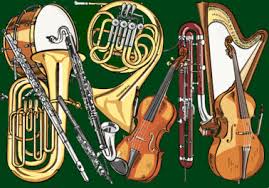
Good luck. I'll be checking your apps when I return.
Mr L
As you can see, I'm not in school today! Which means you have a perfect opportunity to show me what you can do - independently!
Your task is to complete your musical app.
Take time to add pictures of musical instruments to your app (rather than just basic shapes) and try to download some sounds of your own (remember, they need to be .wav sounds).
Don't forget to add mouse-click and/or mouseover actions.
Look at the pictures below for a guide on how your app could look.
Mr L
Sunday, 4 October 2015
Can You Make A Musical Instrument App in PowerPoint?
So, today we are going to link our Computing with Music.
Your challenge is to use PowerPoint to create an interactive musical instrument app that you could use to add music to your composition.
You can do this by adding shapes to a slide and then adding actions for when you click on them or hover your mouse over them.
Have a look at the slides below for help if you get stuck.
Your challenge is to use PowerPoint to create an interactive musical instrument app that you could use to add music to your composition.
You can do this by adding shapes to a slide and then adding actions for when you click on them or hover your mouse over them.
Have a look at the slides below for help if you get stuck.
Sunday, 13 September 2015
Monday, 6 July 2015
IT Suite Closed...
So, the IT suite is being upgraded! A perfect time for you to catch a few videos that I'd like you to see...
Inside the Computer
What Happens Inside the Computer
Why You Should Code
Now, choose one of the themes from the video and create an A4 poster to share the thinking!
Inside the Computer
What Happens Inside the Computer
Why You Should Code
Now, choose one of the themes from the video and create an A4 poster to share the thinking!
Subscribe to:
Posts (Atom)